Keyword Checker
Powered by Semrush Keyword Overview
Check the difficulty of any keyword on a 0–100 scale. Find out how hard it will be to rank in the top ten for a keyword, how many people search for it, and which sites already appear on page one.
For example: seo keyword research
- Keyword Difficulty score (KD%) from 0 to 100
- Monthly search volume
- Search intent behind the keyword
- Average cost per click for paid ads
- The top 10 ranking pages and SERP features
Need more than a free keyword check? Try Keyword Overview
Keyword results for: keyword research
Keyword Difficulty
68%
DifficultN/A
Monthly Search Volume
301K
N/A
Search Intent
Commercial
N/A
Average CPC
$1.42
N/A
Global Search Volume
i438.2K
N/A
AI Overview
Present in SERP
Google shows an AI Overview for this keyword. Expect lower click-through to the organic results below.
N/A
Take your keyword research to the next level
Find winning keywords, track your rankings, and uncover what your competitors are ranking for with one toolkit.
Start My Free TrialGoogle search results for: keyword research
See the top ten Google results in the target location for your keyword, including key metrics for each URL.
| Position | URL | AS | Ref Domains | Backlinks | Traffic | URL Keywords |
|---|---|---|---|---|---|---|
| 1 |
nike.com
https://nike.com/running-shoes
|
92 | 28.2K | 3.1M | 12.4K | 3.7K |
|
AI Overview
|
||||||
| — |
nytimes.com
https://nytimes.com/wirecutter/reviews/best-running-shoes/
|
95 | 41.2K | 3.8M | 6.8K | 1.7K |
| — |
reddit.com
https://reddit.com/r/running/comments/best_running_shoes_2026/
|
96 | 38.4K | 4.2M | 7.1K | 2.1K |
| — |
runnersworld.com
https://runnersworld.com/gear/g20862953/best-running-shoes/
|
81 | 12.6K | 478K | 8.2K | 1.9K |
| 2 |
runnersworld.com
https://runnersworld.com/gear/g20862953/best-running-shoes/
|
81 | 12.6K | 478K | 8.2K | 1.9K |
|
People also ask
|
||||||
| — |
How often should you replace running shoes?
https://runnersworld.com/gear/a20865505/when-to-replace-running-shoes/
|
81 | 12.6K | 478K | 4.7K | 1.2K |
| — |
What are the best running shoes for flat feet?
https://verywellfit.com/best-running-shoes-flat-feet-4844488
|
75 | 8.1K | 312K | 3.4K | 980 |
| — |
How much should I spend on running shoes?
https://fleetfeet.com/blog/how-much-should-running-shoes-cost
|
68 | 4.2K | 145K | 2.1K | 640 |
| 3 |
dickssportinggoods.com
https://dickssportinggoods.com/c/mens-running-shoes
|
78 | 7.2K | 241K | 6.1K | 1.4K |
| 4 |
adidas.com
https://adidas.com/us/running-shoes
|
90 | 22.4K | 2.4M | 9.8K | 2.8K |
| 5 |
roadrunnersports.com
https://roadrunnersports.com/running-shoes
|
62 | 3.4K | 98K | 2.1K | 820 |
| 6 |
zappos.com
https://zappos.com/running-shoes
|
84 | 9.7K | 512K | 4.4K | 1.3K |
| 7 |
brooksrunning.com
https://brooksrunning.com/en_us/running-shoes/
|
71 | 4.8K | 187K | 3.2K | 990 |
| 8 |
hoka.com
https://hoka.com/us/en/road-running-shoes/
|
73 | 5.1K | 142K | 2.6K | 760 |
|
Video Carousel
|
||||||
| — |
Best Running Shoes 2026 — Top 10 Picks
https://youtube.com/watch?v=kSh4f8X2dRk
|
100 | 312K | 94.2M | 11.4K | 3.2K |
| — |
How to Choose Running Shoes for Beginners
https://youtube.com/watch?v=Q8xVm2nL9pE
|
100 | 312K | 94.2M | 8.7K | 2.4K |
| — |
Best Cushioned Running Shoes Reviewed
https://youtube.com/watch?v=Yp7Jk3RfM2c
|
100 | 312K | 94.2M | 6.2K | 1.8K |
| 9 |
newbalance.com
https://newbalance.com/men/running-shoes/
|
79 | 6.4K | 204K | 3.9K | 1.1K |
| 10 |
asics.com
https://asics.com/us/en-us/running-shoes
|
77 | 5.9K | 178K | 3.5K | 980 |
How to Check Keyword Difficulty
-
Enter a word or phrase related to your business in the field above
-
Choose a target location and click “Check Keyword”
-
Review the keyword difficulty, monthly search volume, and top 10 search results
What Is Keyword Difficulty?
Keyword Difficulty (KD%) is a percentage score from 0 to 100 that estimates how hard it will be to rank a new page in the top 10 Google search results for a given keyword. The higher the score, the more SEO effort it will take to rank. That means more time, higher quality content, and more authority building.
SEO tools calculate Keyword Difficulty by analyzing the search results and the pages that already rank for a keyword. In general, if the current top results come from authoritative websites with strong backlink profiles, the keyword will have a higher difficulty score.
Keyword Difficulty is not an official Google metric. It’s an estimate created by SEO tools to help you compare keywords and quickly understand how competitive a keyword is before you decide to create content for it.
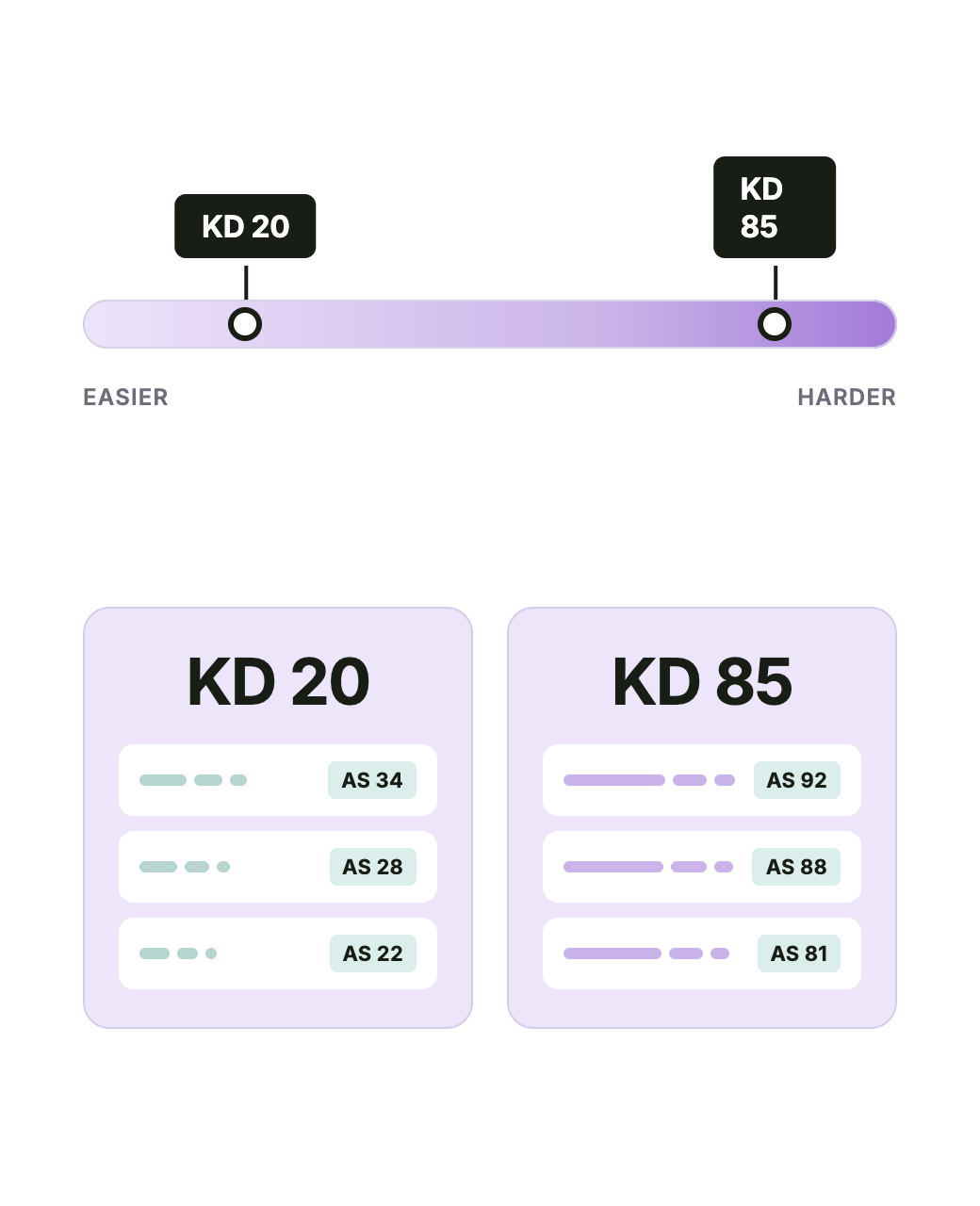
For example, a keyword with a Keyword Difficulty of 85 is dominated by websites with strong, established backlink profiles. A new or low-authority website would struggle to rank on the first page, even with high-quality content.
A keyword with a difficulty of 20 has weaker competition, so a smaller site has a more realistic chance of ranking.
What Is a Good Keyword Difficulty Score?
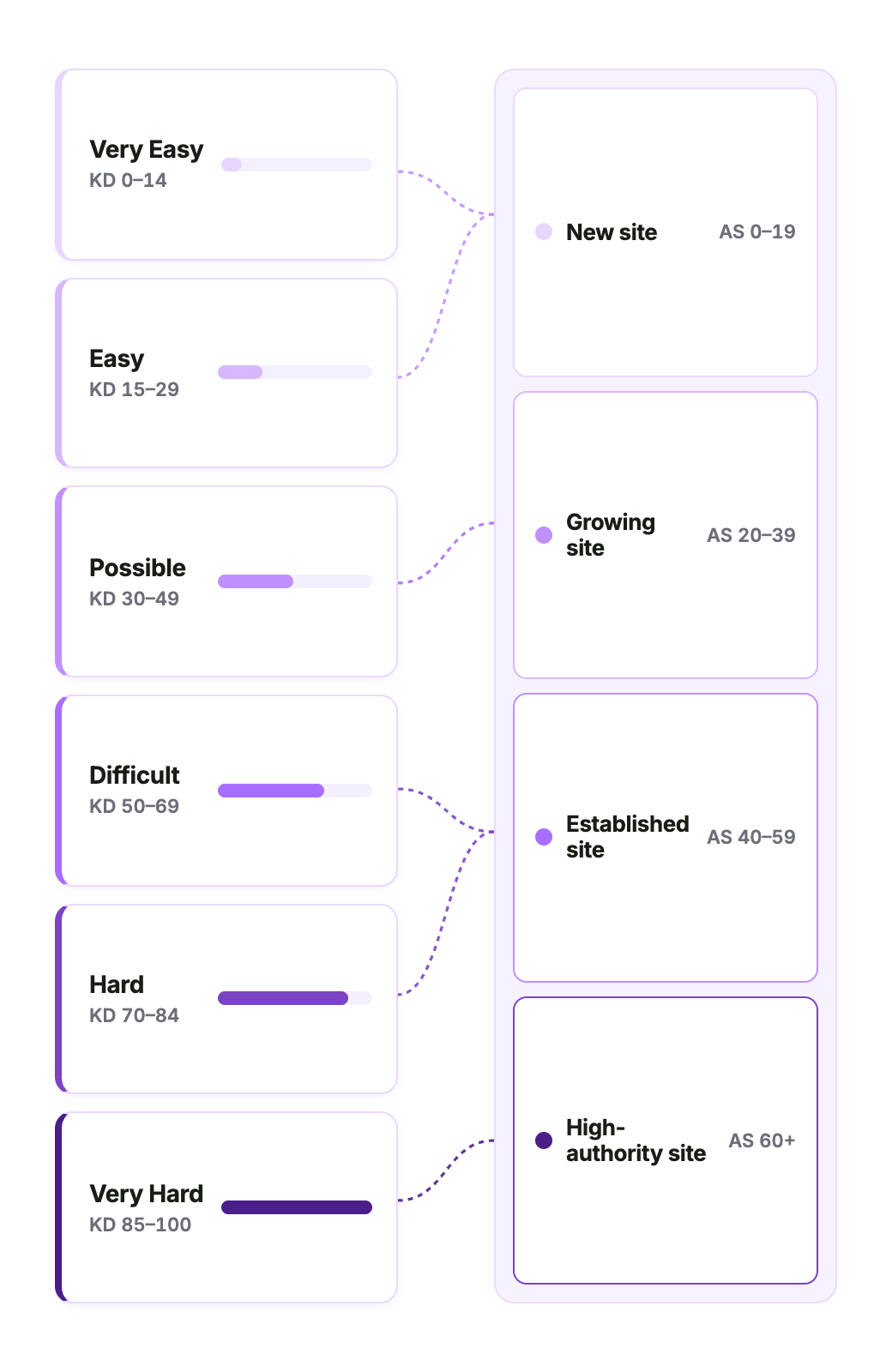
A good Keyword Difficulty score depends on your own site’s authority. If your site is new or has a low Authority Score, target keywords with low difficulty (typically under 30).
As your site’s authority grows through improved content quality and backlinks, you’ll become more capable of ranking for increasingly competitive keywords. Established sites with strong backlinks can realistically pursue keywords in the 50–70 range.
There’s no single number that’s “good” for every site. A keyword with a difficulty of 40 might be an easy win for a high-authority publisher and a multi-month project for a brand new blog.
Here’s how each Keyword Difficulty tier breaks down, and what it means for your site:
- Very Easy (0–14). Brand-new sites can rank with quality content alone, no backlinks required.
- Easy (15–29). New sites can rank with quality content focused on the keyword’s search intent; a few backlinks help.
- Possible (30–49). Requires well-structured, unique content properly optimized for the keyword, plus a handful of quality backlinks.
- Difficult (50–69). Established sites need quality backlinks alongside well-structured, optimized content.
- Hard (70–84). Higher-authority referring domains and well-optimized, helpful content are needed to break into the top pages.
- Very Hard (85–100). Demands extensive on-page SEO, sustained link-building, and active content promotion, especially for newer sites.
How We Calculate Keyword Difficulty
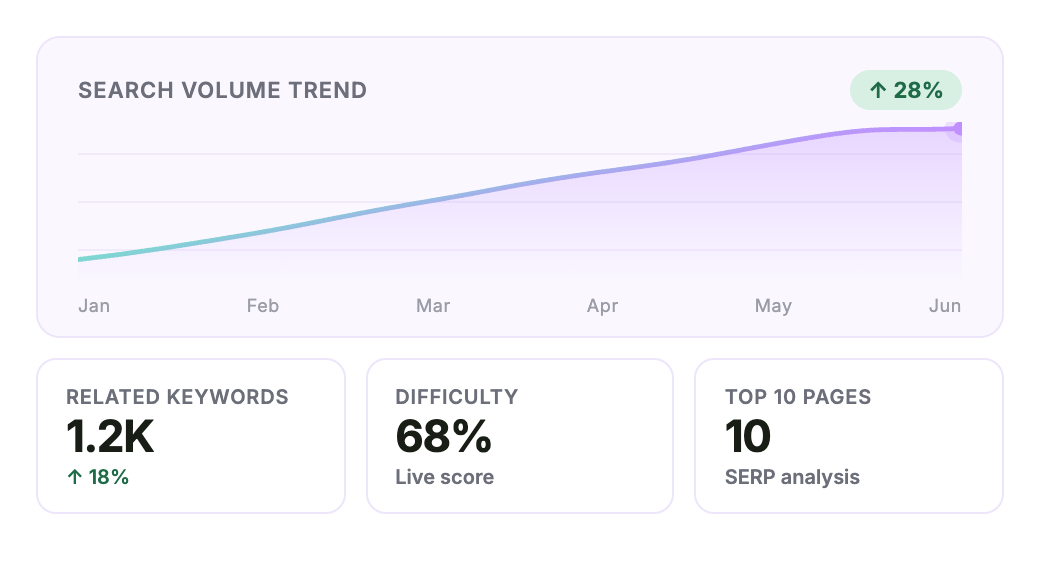
We calculate Keyword Difficulty by analyzing the search results and the backlink profiles of the pages already ranking in the top 10 Google results for the keyword. The stronger and more established those pages are, the higher the score.
We calculate Keyword Difficulty in three steps:
1. SERP Analysis. We start by analyzing the pages already ranking in the top 10 Google search results for the keyword. Three authority signals carry most of the weight of the formula:
- Number of referring domains pointing to ranking pages (41.22%). A referring domain is a unique website that links to a page. The more unique sites linking to the pages on page one, the harder the keyword is to rank well for.
- Authority Score of the ranking domains (16.99%). Authority Score is Semrush’s 1–100 measure of a website’s overall SEO strength and credibility. If most of the top 10 come from high-authority sites, the keyword is harder to compete for.
- Dofollow to nofollow link ratio for ranking pages (9.17%). Dofollow links pass SEO value to the linked page, but nofollow links don’t. When the top results carry a high share of dofollow links, the keyword is harder to rank for.
2. Keyword Parameters. Next, we factor in qualities of the actual keyword itself, including search volume (9.47%) and the SERP features triggered by the query. These include featured snippets (4.74%), instant answers (4.07%), branded results (3.50%), local packs (3.39%), knowledge panels (2.71%), top stories (2.03%), “People also ask” boxes (1.36%), and site links (1.36%). Longer keywords (-2.24%) and queries that result in no SERP features (-8.59%) tend to be easier to rank for.
3. Regional Calibration. Finally, we weight the score against the regional database it sits in. This prevents inflated or deflated scores in countries with varying search demand.
We regularly recalculate and update our Keyword Difficulty metrics as the ranking pages and SERP layouts change, so the score always reflects the current competitive landscape.
What Data Does the Keyword Checker Provide?
The Keyword Checker provides the following:
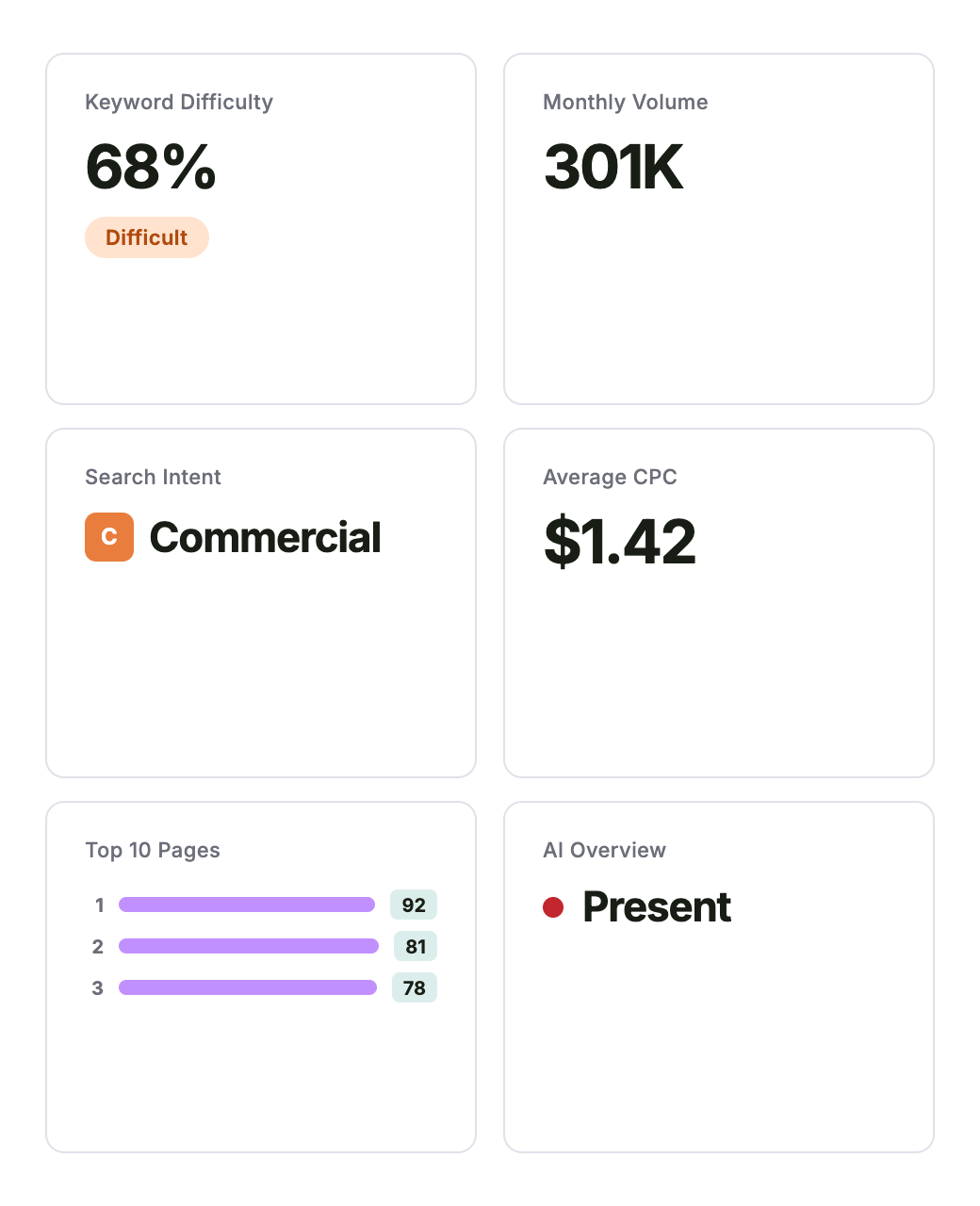
- Keyword Difficulty (KD%): A 0–100 score showing how hard it is to rank in Google’s top 10 search for the keyword.
- Monthly Search Volume: Estimated number of searches per month in the target location. Higher volume means more traffic potential, but also greater competition.
- Search Intent: The reason people search for the keyword, shown as Informational, Navigational, Commercial, or Transactional.
- Average Cost Per Click (CPC): Estimated ad cost per click for the keyword. Higher CPC can signal stronger commercial intent and more competition.
- Top 10 Ranking Pages: The top Google results for the keyword, with SERP features and URL-level metrics like Authority Score, backlinks, traffic, and ranking keywords.
- AI Overview: Indicates whether Google shows an AI Overview for the keyword. Keywords with AI Overviews tend to result in fewer clicks, so traffic potential may be lower than the search volume suggests.
How to Use Keyword Difficulty
Here are five practical ways to use Keyword Difficulty scores:
-
Decide whether a keyword is worth targeting
Before you spend hours creating or updating a page, check the keyword’s difficulty against your website’s authority. If the score is far above what your site can realistically compete for, save time and effort by targeting a keyword you can actually rank for.
-
Pick which keywords to target first
If you have a list of keywords you want to target, sort them by difficulty and start with the lowest scores. These represent your quick wins, which build organic traffic, generate backlinks, and raise your overall authority. Then you can go after harder keywords.
-
Set realistic expectations for ranking timelines
Ranking for keywords with low Keyword Difficulty scores can happen in weeks, or even days. Keywords with higher difficulty scores often take six months to a year, sometimes longer. Use the difficulty score to plan how long you’ll need to wait before judging whether a page is working, and how aggressively you need to build links.
-
Choose between SEO and paid for a keyword
If a keyword has a high difficulty score and a high CPC and clear commercial intent, running paid ads may make more sense than trying to outrank established sites organically. For example, a keyword with a KD of 85 and a CPC of $8 is a paid play, not an SEO play. Reserve SEO effort for keywords where you have a realistic chance of ranking in the top 10.
-
Spot lower-difficulty variants of competitive keywords
If your target keyword has a difficulty of 80, check long-tail variants like “best running shoes for flat feet” or “running shoes under $100.” These often have lower difficulty and clearer intent, even if the search volume is smaller.
How to Find Low-Difficulty Keywords
Keywords with low Keyword Difficulty (under 30) are the fastest path to organic traffic for newer websites. Here are four practical ways to find low-difficulty keywords:
-
Check long-tail variants of the keyword you care about
Long-tail keywords are more specific versions of a broader keyword, like “best running shoes for flat feet” instead of “running shoes.” Because they target narrower needs, they often have lower search volume and less competition, which can make them easier to rank for. To find them, enter your main keyword into a keyword research tool, then look for longer variations, question keywords, and related terms with lower Keyword Difficulty.
-
Filter a keyword research tool by difficulty
Use a keyword research tool like Semrush’s Keyword Magic Tool to generate a list of related keywords and filter that list by difficulty. Set the filter to show only keywords under 30 and pick the ones with the highest search volume from what’s left. This is the fastest way to surface low-competition opportunities.
-
Look for question-based keywords
Keywords that start with “how,” “what,” “why,” or “when” tend to have lower difficulty than commercial keywords because they’re informational. Answer the question clearly in a blog post or guide, and you can rank for them without an enormous backlink profile. Prioritize question keywords that don’t trigger an AI Overview, as search results that contain AI Overviews tend to result in fewer clicks.
-
Target keywords your competitors rank for but you don’t
Use a competitor research tool like Semrush’s Organic Rankings to pull the keywords websites in your niche already rank for. Filter that list to keywords with low difficulty. These are proven opportunities. Similar websites are already winning organic traffic from them, and a low difficulty score confirms you can compete.
Why Trust Semrush’s Keyword Difficulty Data?
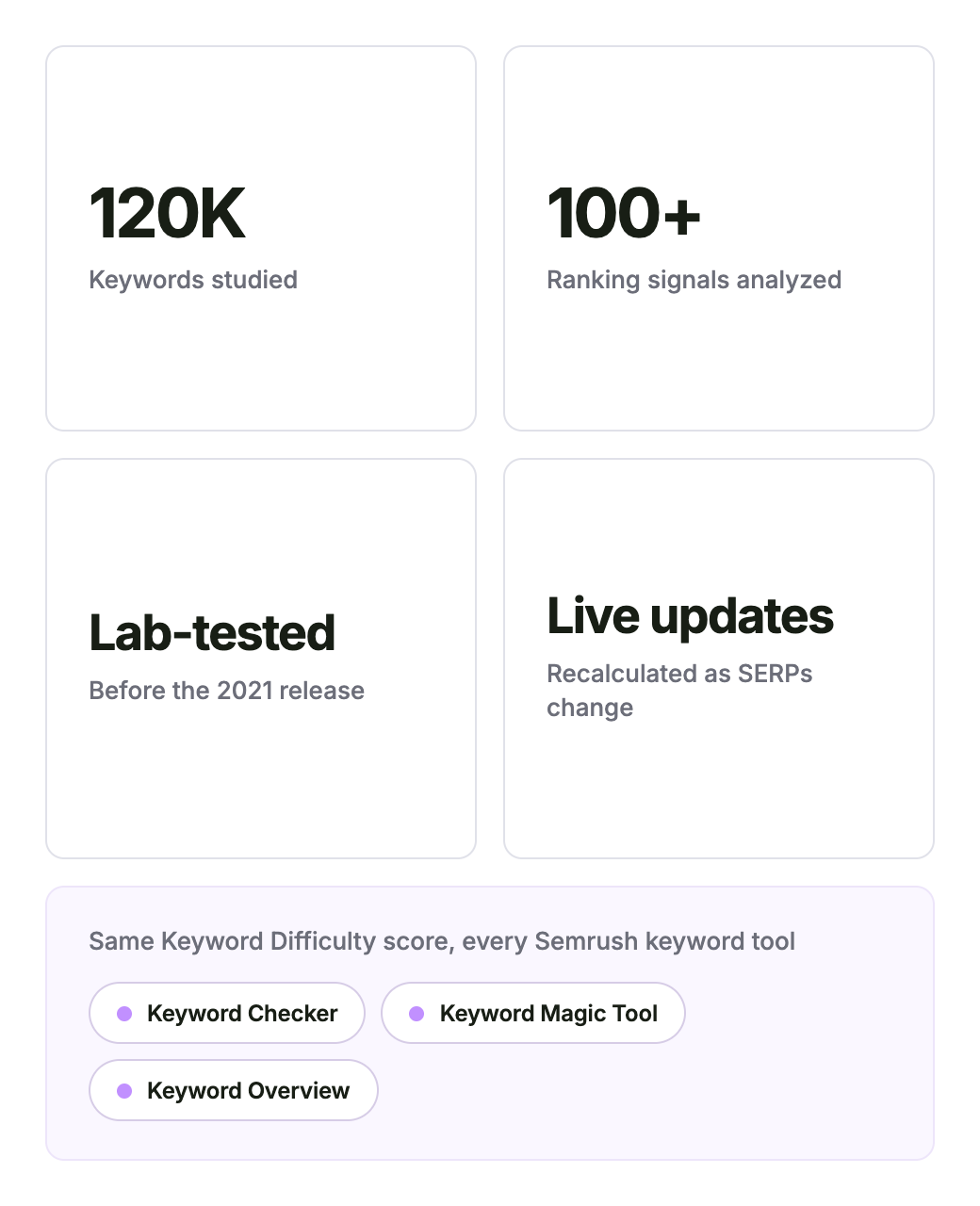
You can trust Semrush’s Keyword Difficulty data because it’s based on large-scale SERP research, 120,000 keywords, and more than 100 search ranking parameters.
Here’s what goes into our Keyword Difficulty score and how it stays current:
- Trained on 120,000 keywords. Our data scientists and engineers studied SERP movement across 120,000 keywords in the Semrush database to identify which were hardest to break into via SEO, then built that signal into the formula.
- Correlations across 100+ parameters. The model analyzes more than 100 ranking parameters for every keyword and weights each one by how much it actually impacts difficulty, so no important signal gets missed.
- Lab-tested before release, used across the Semrush platform. We relaunched our Keyword Difficulty metric in 2021 with this new formula, after extensive lab testing. The same Keyword Difficulty score now appears in every Semrush keyword research tool, so the number in this free checker matches what paying customers see.
- Recalculated as the SERP changes. When new pages enter the top 10 or backlink profiles shift, the score updates to reflect the new competitive landscape. You’re never working off of stale data.
Frequently Asked Questions
- Marketing and SEO beginners: Use it to understand which keywords may be realistic to target and which ones are likely too competitive.
- Small business owners: Use it to find lower-difficulty keywords that can help you compete without a large SEO budget.
- Content marketers: Use it to prioritize article, landing page, and content ideas based on ranking difficulty, search volume, and intent.
- SEOs and agencies: Use it for quick keyword checks, early-stage research, and fast comparisons before building a deeper keyword strategy.
Is the Keyword Checker free to use?
Yes, the Keyword Checker is free to use. You can check keywords and keyword difficulty for free, with a limited number of checks per day and no account required.
For more keyword checks, deeper data, and advanced research tools, you can create a free Semrush account or upgrade to a paid Semrush plan.
How accurate is the Keyword Difficulty score?
The Keyword Difficulty score is a reliable estimate of how hard it may be to rank in Google’s top 10 search results for a keyword. Semrush calculates the score by analyzing the pages currently ranking for that keyword, including their backlink profiles and other ranking signals.
Keyword Difficulty is a directional metric, so it can help you compare keyword opportunities rather than predict exact ranking outcomes. Your actual ability to rank also depends on your website’s authority, content quality, search intent match, and how competitive the SERP is when you publish.
How often are Keyword Difficulty scores updated?
Keyword Difficulty scores are updated as the top-ranking pages and SERP layout for a keyword change. For example, the score may change when new pages enter Google’s top 10, existing ranking pages gain or lose backlinks, or SERP features like AI Overviews appear or disappear.
These updates help the score reflect the current level of competition for the keyword.
Why do different tools show different difficulty scores for the same keyword?
Different tools show different keyword difficulty scores for the same keyword because each tool uses its own data sources, ranking factors, and calculation method. Some tools may weigh backlinks more heavily, while others may factor in SERP features, content strength, domain authority, or other signals differently.
For the most consistent comparison, use one Keyword Difficulty metric when prioritizing keywords instead of comparing scores across multiple tools.
Who should use this free Keyword Difficulty checker?
This free Keyword Difficulty checker is best for anyone who needs a quick way to evaluate keyword opportunities before creating content:
For a more robust keyword research workflow, use Semrush’s Keyword Overview or Keyword Magic Tool to access deeper data, more keyword ideas, and advanced filters.